

Table of Contents
Quick answer: A video editor assembles shot footage into a finished story by selecting, trimming, sequencing, and refining the material. Modern corporate video editors typically also handle basic color, audio cleanup, and graphics, though larger productions split these into specialist roles. The role is distinct from a videographer (who shoots and edits) and a colorist or sound editor (who specialize in finishing). Day rates for an experienced video editor in Western Europe range from 350 to 900 EUR per day, with senior or specialty editors commanding higher rates.
What a video editor actually does
Editing is not just cutting. It is the second-most important storytelling stage of a production, after the script. A good editor takes raw footage and finds the story inside it. A bad editor stacks clips in script order and calls it done.
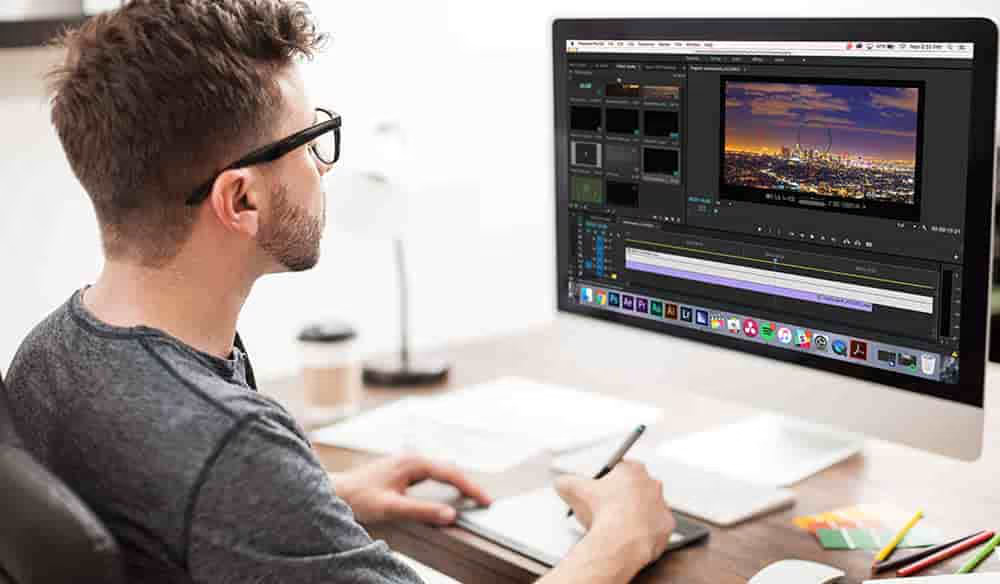
A working video editor is responsible for ingesting and organizing the footage from a shoot, building a string-out or selects reel of usable takes, assembling a rough cut to the script or treatment, refining the cut through fine-cut revisions, working with the producer or director on creative review rounds, integrating graphics, lower thirds, motion graphics, animations, and brand elements, performing first-pass color grading and audio cleanup (or handing off to specialists), managing music selection and sound design (or handing off to a composer/sound designer), preparing deliverables in the required formats (16:9, 9:16, 1:1, multiple resolutions, multiple aspect ratios, multiple language versions), and archiving the project.
On a B2B corporate production, the editor often produces multiple deliverables from a single shoot: a 3-minute case study for the website, a 60-second cut for LinkedIn, a 30-second teaser, a vertical 9:16 version for Instagram and TikTok, plus language-localized variants. The editor's efficiency on multi-version delivery is one of the biggest production cost variables.
The post-production workflow
Post-production runs through defined stages. Understanding them helps you brief, budget, and review better.
Ingest and organize
Footage from the shoot arrives on cards, drives, or via upload. The editor ingests it into the editing system, generates proxies (lower-resolution working copies for editing speed), organizes by scene or interview, syncs audio if recorded separately, and builds a project structure. Ingest day is not creative work but it is essential. Skip it and the rest of post takes twice as long.
String-out and selects
The editor watches all footage and pulls the usable takes into a selects sequence or string-out. For interview content, this often involves a transcript-driven workflow: every interview is transcribed and the editor builds the cut from the text first, then locks picture to the chosen lines.
Rough cut
The first assembly. The editor builds the story to the script or treatment, picks the best takes, structures the narrative, and hands the producer or director a watchable version. The rough cut is typically 110 to 130 percent of final length because it includes everything that might work.
Fine cut
Iterative refinement. The team reviews the rough cut, gives notes, and the editor refines: tightening pacing, swapping takes, restructuring sequences, adjusting timing. This stage is typically 2 to 4 revision rounds for a corporate production, more for high-stakes or stakeholder-heavy projects.
Picture lock
The edit is approved. No more changes to the cut. Picture lock signals to color, sound, and graphics that they can start finishing work without being undone by another cut change.
Finishing
Color grading, sound mixing, music licensing, motion graphics, captioning, and final delivery. On smaller productions the editor handles all of this. On larger productions specialist roles take over.
Delivery
Final exports in all required formats. For corporate B2B work this might mean 5 to 15 distinct deliverable files from a single project, each spec-compliant for its target platform.
Software the industry uses
The editing software ecosystem in 2026 is dominated by four major tools:
The right choice depends on workflow, deliverable, and team. For most B2B corporate production, Premiere Pro is the safe default because it integrates with everything else the agency or team is using. DaVinci Resolve is overtaking it for color-critical and premium work. Avid is best when multiple editors need to work on the same project simultaneously.
Beyond the main editor, modern post-production also uses Adobe After Effects (motion graphics), Adobe Photoshop and Illustrator (still graphics), Adobe Audition or Pro Tools (sound), and frame.io or Wipster (review and approval workflow).
Specialist roles within post-production
On large productions the editor role splits into specialists.
For a typical B2B corporate case study or testimonial production, the editor often handles everything except specialist color and major motion graphics. For brand films, product launches, and premium work, separate finishing roles produce significantly better results.
Editor versus videographer versus in-house
Three common configurations for handling edit:
The dedicated editor: a specialist who does not shoot. They work full-time in post and often have stronger storytelling and craft skills than a generalist videographer. Best for projects where the edit is the highest-value creative stage.
The shooting videographer: shoots and edits their own work. Cost-efficient for small projects. Quality depends on the videographer's editing chops. For talking-head interviews and short social content, often the right choice. For complex narrative work, usually not.
The in-house editor: works at the agency or client side. Knows the brand and stakeholders well. Often more efficient on revision rounds because they understand internal politics. Less specialized than a senior freelance editor.
The right choice depends on project complexity, budget, and brand familiarity. A multi-million-EUR brand campaign uses a dedicated senior freelance editor with a craft track record. A weekly internal video newsletter is fine with an in-house editor or shooting videographer.
Day rates for video editors in 2026
Day rates by region for an experienced corporate video editor:
Senior, specialty, or commercial editors run higher. A senior commercial editor in London or New York can charge 1,200 to 2,000 EUR or USD per day for high-end brand work. Colorists working in DaVinci Resolve on premium projects charge similar.
Many editors prefer to work on project rates rather than day rates, especially for corporate work where revision rounds are unpredictable. A typical 3-minute corporate case study edit runs 1,500 to 4,000 EUR all-in including basic color, audio, and graphics, depending on footage volume and revision complexity.
Remote versus onsite editing
Post-production has been remote-friendly since long before the pandemic. Cloud workflow tools (frame.io for review, Adobe Creative Cloud project syncing, Dropbox or Google Drive for asset transfer) make most edit work fully remote.
Onsite editing still makes sense for tight-turnaround productions (same-day delivery), live event editing where the editor is working concurrent with the shoot, and projects where stakeholders need to be in the room during review.
Most corporate B2B editing is fully remote in 2026. The editor never meets the shoot crew. The footage arrives on cloud upload. Revisions happen via frame.io annotations. Final delivery happens via a download link. This is normal and works well when the brief is clear.
When you need a separate editor
You need a separate (non-shooting) editor when any of the following apply:
How to brief an editor
The editor brief should include the project script or treatment, the deliverable specs (length, aspect ratios, resolutions, target platforms, language versions), the visual reference (2-5 reference films that capture the desired feel), the music direction (specific track, library, or feel), the brand guidelines (lower-third style, motion treatment, color, typography), the review and revision schedule, and the final delivery date.
Provide the editor with everything organized. Shoot footage with clear naming, B-roll separated from interviews, audio synced if recorded separately, transcripts if interviews were transcribed, brand assets (logos, fonts, color values), music files licensed and downloaded. Editors who have to chase assets and information from a producer lose half a day per chase. A well-organized handover saves real money.
Get a video editor for your next production
Get Camera Crew has been producing and editing video for B2B clients for 38 years across more than 45 countries. Our editors have delivered case studies, testimonial series, brand films, conference highlights, pharma webinar archives, and multi-language localized assets for clients including AWS, Kaspersky, AstraZeneca, and Alcon.
To discuss your editing or post-production needs, request a proposal or download our Corporate Video Cost Guide.

.avif)


.svg)