

Table of Contents
Creating high quality video starts with the right equipment. Many creators, brands, and businesses want professional results but feel overwhelmed when choosing a camera. There are countless models on the market with different features, price points, and technical specifications. At Get Camera Crew, we work with businesses and production teams that rely on professional cameras every day. Choosing the right camera plays a major role in image quality, workflow efficiency, and the overall impact of your video.
A professional video camera is more than a device that records footage. It is a creative tool that shapes lighting, depth, motion, and color. When you understand which features matter most, the process of selecting a camera becomes much easier. This guide explains the core factors to evaluate when choosing a professional video camera, along with practical tips that help you make a confident decision.
Why Choosing the Right Camera Matters
The camera you choose affects everything from visual clarity to editing flexibility. High quality cameras capture more detail, better colors, and smoother motion. This makes a big difference for marketing videos, interviews, commercials, and branded content.
Professional cameras allow filmmakers to control settings such as exposure, focus, and color profiles. These controls help create consistent footage across different scenes. Cameras built for video production often include advanced features like high frame rates, professional audio inputs, and specialized recording formats.
A good camera does not automatically guarantee a great video, but it provides the technical foundation for professional production.
Start with Your Video Production Goals
Before looking at specific models, define your production needs. Different projects require different camera capabilities.
For example, a corporate interview video may prioritize color accuracy and clean audio input. A documentary project might require strong autofocus and portability. A cinematic commercial often needs cameras that support advanced color grading and high dynamic range.
Understanding the purpose of your video helps narrow down the list of suitable cameras.
Ask yourself a few practical questions:
- What type of videos will you produce most often?
- Will you film indoors, outdoors, or both?
- Do you need slow motion footage?
- Will you travel frequently with your camera?
Answering these questions makes it easier to focus on the most relevant features.
Sensor Size and Image Quality
The camera sensor plays a major role in image quality. A larger sensor captures more light and usually produces cleaner images with better low light performance. It can also create a shallow depth of field that gives footage a cinematic background blur.
Common sensor sizes include:
- Full frame
- APS C
- Micro Four Thirds
Full frame sensors are popular in professional video production because they capture more light and offer greater control over depth of field. APS C and Micro Four Thirds sensors are smaller but still capable of excellent results.
Many filmmakers choose cameras with larger sensors when they want a cinematic look and improved performance in challenging lighting conditions.
Resolution and Video Formats
Resolution refers to how many pixels are recorded in each frame of video. Modern professional cameras commonly record in 4K resolution, which provides sharp detail and flexibility during editing.
4K has become the standard for most productions. Higher resolutions such as 6K or 8K allow editors to crop footage or stabilize shots without losing quality.
Higher resolution does increase storage requirements and processing demands. Many production teams shoot in high resolution formats and then export the final video in 4K or Full HD.
When evaluating cameras, look for models that support at least:
- 4K recording
- High bitrate codecs
- Flexible recording formats
These features help preserve image quality during editing.
Frame Rates for Smooth Motion
Frame rate refers to how many frames are recorded per second. Standard video is often filmed at 24 or 30 frames per second.
Higher frame rates allow filmmakers to create slow motion footage. For example, recording at 60 fps or 120 fps allows smooth playback when slowed down in editing.
Professional cameras often support multiple frame rate options depending on resolution. Some models can record 4K video at 120 frames per second for dramatic slow motion effects.
When selecting a camera, consider whether your projects require slow motion sequences.
Dynamic Range and Lighting Flexibility
Dynamic range measures how well a camera captures detail in both bright highlights and dark shadows. A camera with higher dynamic range preserves more information in challenging lighting situations.
Professional cinema cameras often achieve 13 to 16 stops of dynamic range. This allows filmmakers to capture scenes with bright skies and darker foregrounds without losing detail.
Higher dynamic range also improves color grading during post production. Editors have more flexibility to adjust brightness and contrast while maintaining image quality.
If your projects involve outdoor scenes or mixed lighting environments, dynamic range becomes a key feature to consider.
Lens Compatibility
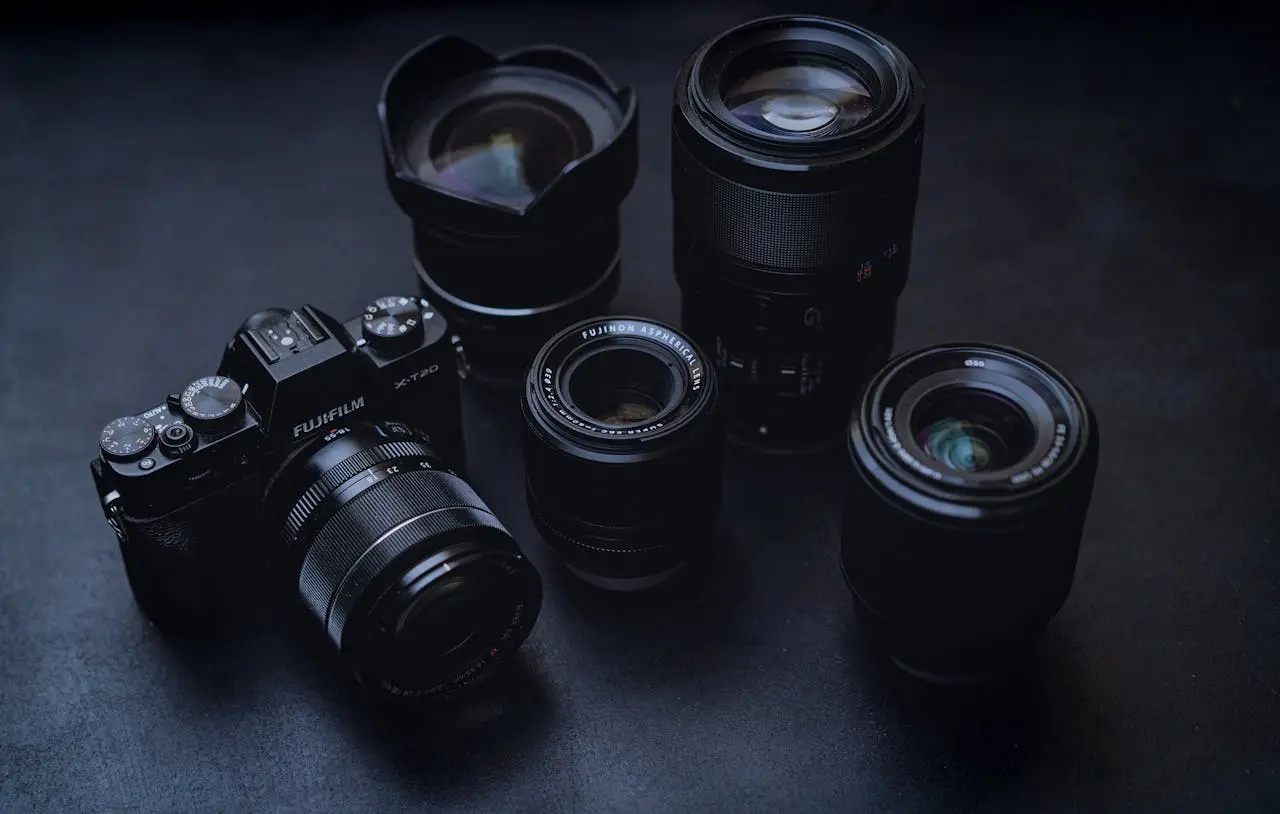
The camera body is only one part of the equation. Lenses have a major influence on the final look of your footage. Professional video cameras usually feature interchangeable lens mounts. This allows filmmakers to switch between wide angle, portrait, telephoto, and specialty lenses depending on the scene.
A wide lens works well for establishing shots or interior spaces. A telephoto lens is useful for interviews or capturing subjects from a distance. Before purchasing a camera, check which lens ecosystem it supports. Choosing a camera with widely available lenses provides more creative flexibility in the future.
Autofocus Performance
Reliable autofocus is extremely valuable for video production. Modern cameras use advanced tracking systems that follow faces, eyes, and moving subjects.
Fast and accurate autofocus helps maintain sharp footage during interviews, product demonstrations, or documentary scenes.
Many newer cameras include subject tracking and real time autofocus features. These systems can automatically adjust focus as subjects move within the frame.
This capability is especially useful for solo creators or small production teams.
Stabilization for Smooth Footage
Camera movement is part of storytelling, but shaky footage can quickly look unprofessional. Many modern cameras include built in stabilization systems that reduce unwanted motion.
In body image stabilization works by shifting the camera sensor to counteract movement. Some systems provide up to several stops of stabilization, allowing handheld filming with smoother results.
Electronic stabilization is another option, though it may slightly crop the frame.
Stabilization becomes especially valuable when filming handheld or in fast moving environments.
Audio Recording Capabilities
Great visuals need great audio. Professional cameras often include dedicated audio inputs that allow external microphones to connect directly to the camera.
Common audio features include:
- 3.5 mm microphone input
- XLR audio adapters
- Headphone monitoring ports
These connections allow production teams to capture clean dialogue during interviews and presentations. Built in microphones are useful for reference audio but usually lack the quality required for professional production.
Always check the camera’s audio options if your projects involve spoken dialogue.
Also read: What to Wear and Avoid for Video Production
Storage and Recording Formats
Video files can become extremely large, especially when recording high resolution footage. Professional cameras often support high speed memory cards such as SDXC or CFexpress.
Recording formats and codecs also affect storage needs and editing performance. High quality formats like RAW or ProRes provide excellent image quality but require larger storage capacity. When selecting a camera, consider your editing workflow and available storage resources.
Recommended Professional Video Cameras
1. Sony FX3
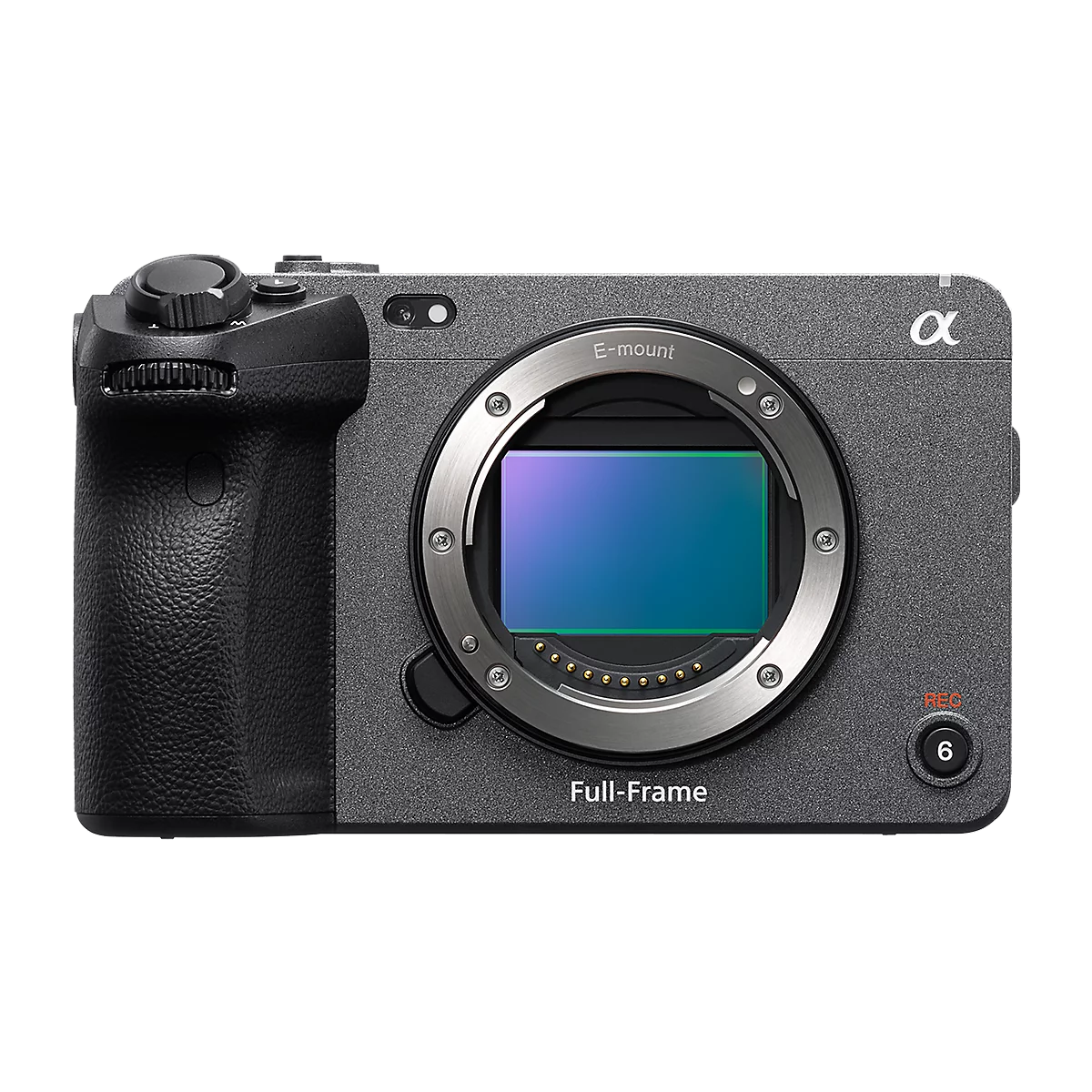
The Sony FX3 is part of Sony’s Cinema Line and is designed specifically for filmmakers and professional video creators. It combines a compact mirrorless body with features commonly found in larger cinema cameras. The camera is widely used for documentaries, commercials, interviews, and corporate productions due to its strong low light performance and reliable autofocus.
Its full frame sensor and cinematic color profiles allow filmmakers to capture footage with high dynamic range and professional color grading flexibility. The FX3 is also known for its cooling system that supports longer recording sessions without overheating.
Specifications
- 12.1 MP full frame Exmor R CMOS sensor
- 4K recording up to 120 fps
- 15+ stops dynamic range
- S-Cinetone color profile
- Dual CFexpress Type A and SD card slots
- Fast hybrid autofocus with real time eye tracking
- Built in cooling fan for extended recording
Reasons to Buy
- Excellent low light performance
- Reliable autofocus for video production
- Compact cinema camera design
- Strong color science for cinematic footage
Reasons to Avoid
- Expensive compared to entry level cameras
- Limited still photography capabilities
- CFexpress cards can be costly
2. Sony A7 IV
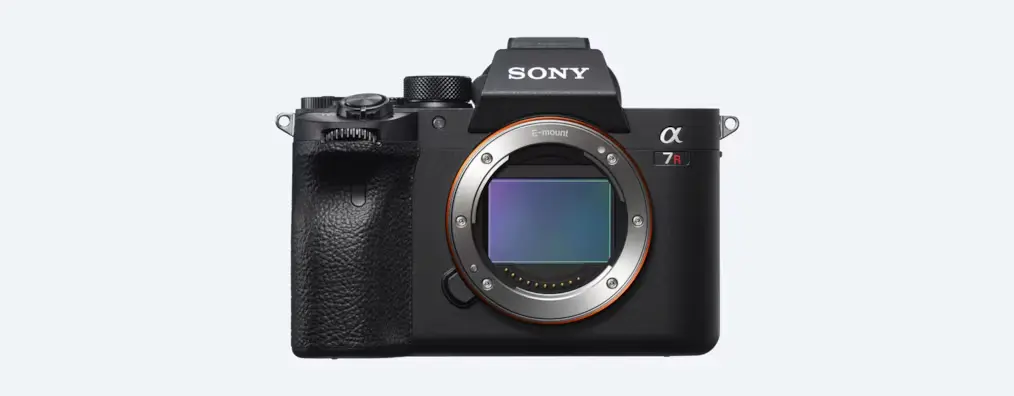
The Sony A7 IV is a hybrid camera that performs extremely well for both photography and video. It has become a popular choice among filmmakers, YouTubers, and production teams who want a versatile camera that handles many types of projects.
Its advanced autofocus system makes it particularly effective for interviews, product videos, and talking head content. The camera supports high quality 4K recording and advanced color profiles for professional editing workflows.
Specifications
- 33 MP full frame sensor
- 4K video recording up to 60 fps
- 10 bit 4:2:2 internal recording
- Real time Eye AF and subject tracking
- S Log3 and S Cinetone color profiles
- Dual SD card slots
Reasons to Buy
- Excellent hybrid camera for photo and video
- Advanced autofocus tracking
- High resolution sensor
- Strong ecosystem of Sony lenses
Reasons to Avoid
- 4K60 involves a crop factor
- Rolling shutter can appear in fast movement scenes
- Battery life could be better during long shoots
3. Fujifilm X-H2S
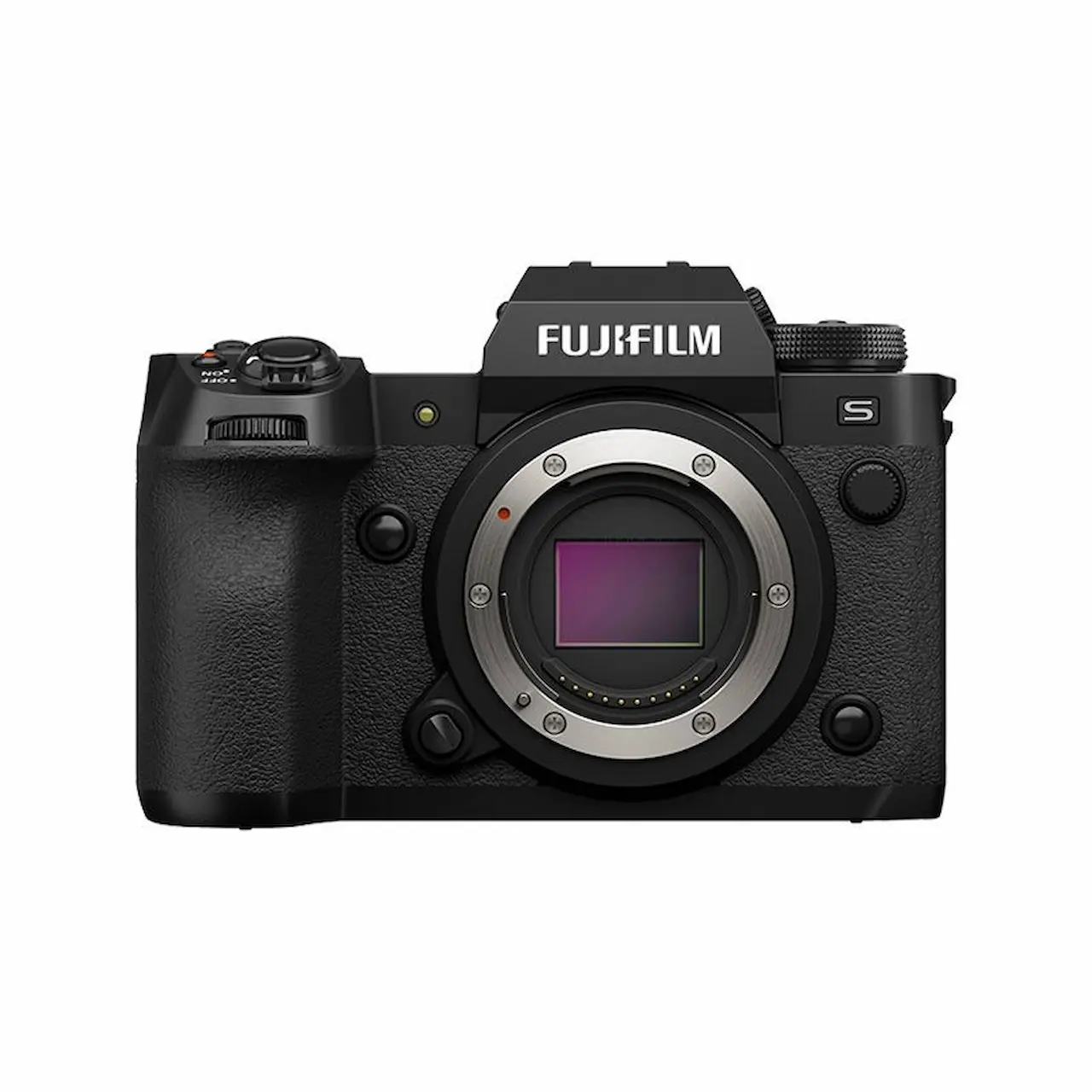
The Fujifilm X-H2S is a powerful APS C camera built for speed and high performance video recording. It features a stacked sensor that improves readout speed and reduces rolling shutter. This makes it a strong option for action scenes, documentary filming, and handheld video production.
Fujifilm is also known for its excellent color science. Many filmmakers enjoy the brand’s film simulation profiles, which allow attractive color results straight from the camera.
Specifications
- 26 MP APS C stacked sensor
- 6.2K video recording
- 4K recording up to 120 fps
- 10 bit internal recording
- Advanced subject detection autofocus
- CFexpress Type B and SD card support
Reasons to Buy
- Fast sensor with minimal rolling shutter
- Excellent color profiles and film simulations
- Strong video recording options
- Compact and durable build
Reasons to Avoid
- APS C sensor has less depth of field compared to full frame
- Lens selection smaller than Sony or Canon ecosystems
- Higher price than many APS C cameras
4. Sony ZV-E10 II
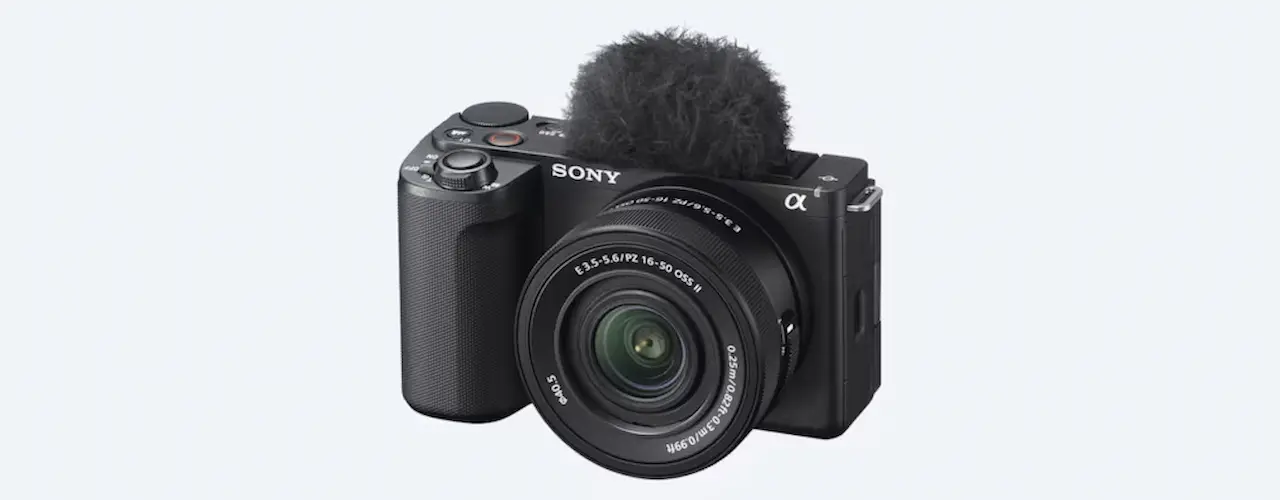
The Sony ZV E10 II is designed for content creators who want professional video quality in a lightweight and affordable camera. It is often used for vlogging, social media content, and small business marketing videos.
Although it is more entry level compared to cinema cameras, the ZV E10 II still offers strong autofocus and good 4K video quality. Its compact size makes it easy to travel with or use in small production setups.
Specifications
- APS C sensor
- 4K video recording
- Real time autofocus with eye tracking
- Interchangeable lens system
- Flip out LCD screen for self recording
- Lightweight mirrorless design
Reasons to Buy
- Affordable entry point into professional video
- Excellent autofocus performance
- Compact and portable design
- Great for content creators and small teams
Reasons to Avoid
- Limited advanced video features compared to cinema cameras
- Lower dynamic range than higher end models
- Not ideal for large scale film production
5. Canon EOS R5 C
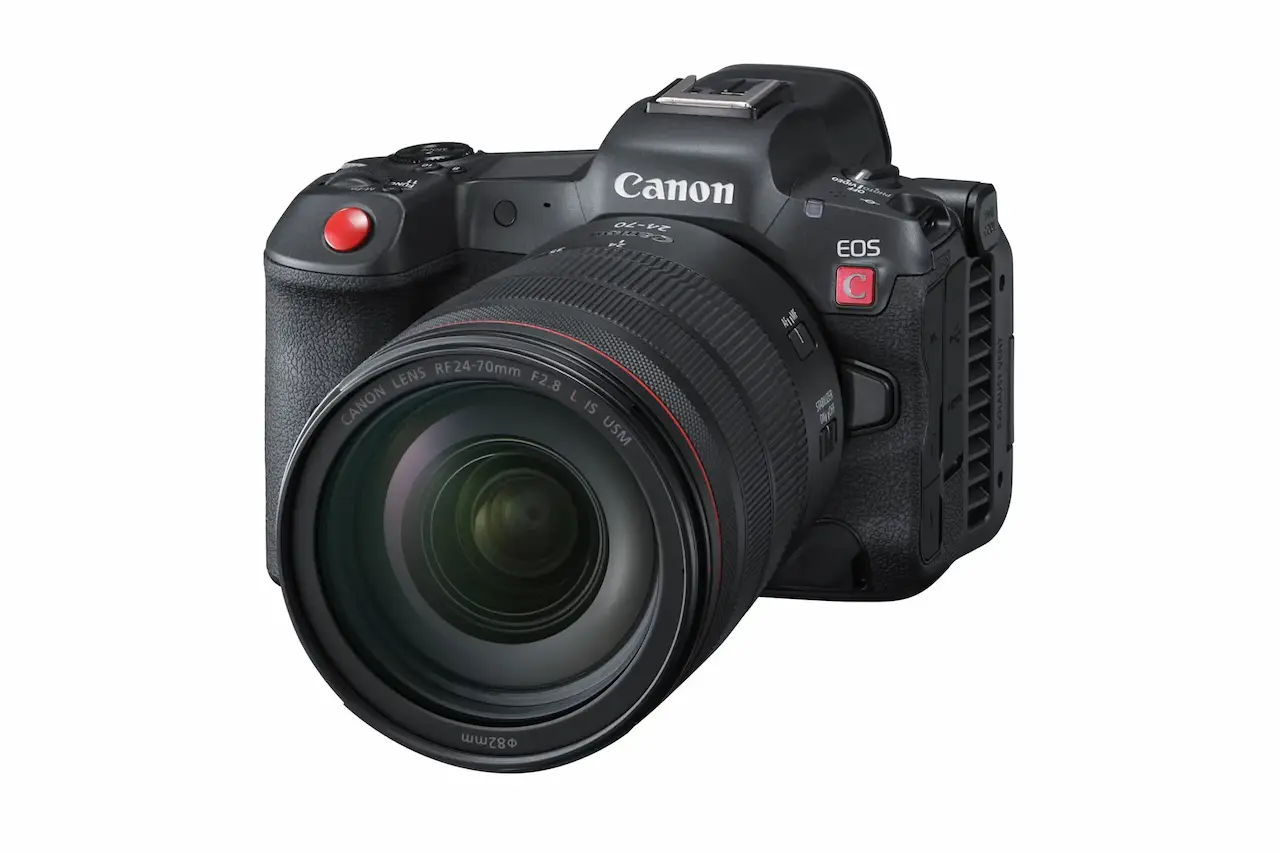
The Canon EOS R5 C is a hybrid cinema camera designed to combine photography and professional video production. It delivers extremely high resolution footage and advanced recording formats used in professional filmmaking.
The camera supports internal 8K recording and professional codecs such as Cinema RAW Light. This allows editors to perform detailed color grading during post production. It also supports 4K recording up to 120 frames per second for high quality slow motion.
Specifications
- 45 MP full frame sensor
- 8K recording up to 60 fps
- 4K recording up to 120 fps
- Cinema RAW Light recording format
- Dual Pixel CMOS autofocus system
- Canon Log 3 and HDR support
- Built in cooling system for longer recording
Reasons to Buy
- Extremely high resolution video capabilities
- Professional cinema features and codecs
- Excellent color science for filmmaking
- Strong autofocus system
Reasons to Avoid
- Higher cost than most hybrid cameras
- Large file sizes when shooting RAW
- Requires powerful editing hardware for 8K workflows
If you are building a production setup, any of these cameras can produce professional quality results depending on your needs. Production companies often choose cameras based on workflow, lens compatibility, and project requirements.
Many commercial and corporate productions use cinema cameras like the Sony FX series or Canon cinema line because they provide greater flexibility for lighting, color grading, and extended recording sessions. These features become especially valuable when producing marketing videos, branded content, and corporate storytelling.
For businesses that prefer working with experienced crews rather than investing heavily in equipment, partnering with a production team can be a more efficient approach. Companies like Get Camera Crew operate with professional camera systems and experienced cinematographers, ensuring each project is captured with the right tools and expertise.
Budget Considerations
Professional video cameras range from a few hundred dollars to tens of thousands. Budget planning should include more than just the camera body.
You should account for:
- Lenses
- Memory cards
- Batteries
- Tripods or stabilizers
- Lighting equipment
- Audio gear
These accessories often contribute as much to production quality as the camera itself.
Many production companies invest in reliable mid range cameras that balance performance with cost efficiency.
Test Before You Commit
Reading specifications provides useful information, but real world testing is just as important. Many filmmakers rent cameras before purchasing them.
Testing a camera allows you to evaluate:
- Menu layout
- Image quality
- Autofocus reliability
- Handling and ergonomics
Recording sample footage helps you determine whether the camera suits your workflow.
Hands on experience often reveals details that technical specifications cannot.
Also read: 10 Best Stock Footage Resources for Any Budget in 2026
Frequently Asked Questions
What is the best resolution for professional video?
4K is currently the most common standard for professional video production. Some cameras support 6K or 8K recording, which provides additional flexibility for editing and cropping.
Do I need a full frame camera for filmmaking?
Not necessarily. Full frame cameras offer advantages in low light performance and depth of field, but APS C and Micro Four Thirds cameras can still produce excellent results.
What frame rate should I use for cinematic video?
Most cinematic productions use 24 frames per second. Higher frame rates like 60 fps or 120 fps are often used for slow motion footage.
Is autofocus important for video production?
Yes. Modern autofocus systems help maintain sharp focus when subjects move. This is especially helpful for solo filmmakers or documentary style production.
Should I prioritize camera body or lenses?
Both matter, but lenses often influence the visual style more than the camera body. Investing in quality lenses can improve image quality across multiple camera upgrades.
Ready to Create Professional Video Content?
Choosing the right professional video camera is an important step in producing high quality visual content. Understanding sensor size, resolution, frame rates, audio capabilities, and lens options helps you select a camera that supports your creative goals.
At the same time, equipment alone does not create powerful storytelling. Lighting, sound design, direction, and editing all play major roles in the final production. That is why many brands partner with experienced production teams to ensure every part of the process runs smoothly.
If your company is planning a commercial video, corporate interview, promotional content, or branded storytelling project, the team at Get Camera Crew can help. Our experienced crew works with professional camera systems and production workflows to deliver high quality results for clients across industries.
Contact Get Camera Crew today to discuss your upcoming video project and bring your vision to life with professional production expertise.




.svg)