

Table of Contents
Getting ready for a video shoot can feel overwhelming. You may think about lighting, set design, location, props, script, sound and scheduling. One thing that often gets overlooked is wardrobe. What you wear on camera has a huge impact on how the final video looks and how your message is received. At Get Camera Crew, we work with clients daily who want high quality video. We have seen firsthand how wardrobe choices can lift or weaken a production. This guide helps you choose clothing that looks great on camera and avoids common problems that can distract viewers.
Video production is different than taking a photo or recording a short clip on a phone. Cameras, lighting and editing bring out details that might not be visible in real life. Clothing that looks fine in person can have patterns, colors or fits that interfere with the camera. This article explains what to wear, what to avoid, and tips for different types of video styles. We also include a helpful FAQ section near the end. Whether you are the on camera talent, an interview subject, or part of a group scene, good wardrobe planning improves your final outcome.
Why Wardrobe Matters in Video
Clothing affects perception. When viewers watch a video they form quick impressions. Your outfit influences how professional, relatable, energetic, calm or serious you appear. Wardrobe also interacts with lighting and background elements. Cameras see contrasts, brightness, saturation and motion in ways our eyes do not. Bright lights can wash out colors or create glare. Patterns can flicker or distort on screen. Choosing the right clothes reduces these issues.
Wardrobe can also support your message. A healthcare professional may choose solid neutral tones to convey trust. A creative entrepreneur may pick colors that reflect personality. A corporate representative may favor a polished and classic look. Planning wardrobe in line with your message strengthens communication.
Inconsistent wardrobe can cause visual noise. A shirt that reflects light draws attention away from your face. Loud patterns distract from what you are saying. Misaligned outfits among a group appear uncoordinated. For all these reasons, wardrobe plays a central role in professional video.
Best Clothing Choices for Video
Solid Colors Work Best
Solid colors look clean and maintain focus on the speaker. Choose colors that match your skin tone. Mid range tones usually perform well on camera. For lighter skin, shades like teal, mauve, soft blue and forest green are flattering. For darker skin, richer hues like burgundy, navy blue, olive and mustard look sharp.
Stay mindful of the background. If your backdrop is dark, pick lighter mid range tones. If the background is light, wear slightly darker tones. This ensures you stand out without looking washed out.
Simple Clothing Shapes Flatter Camera
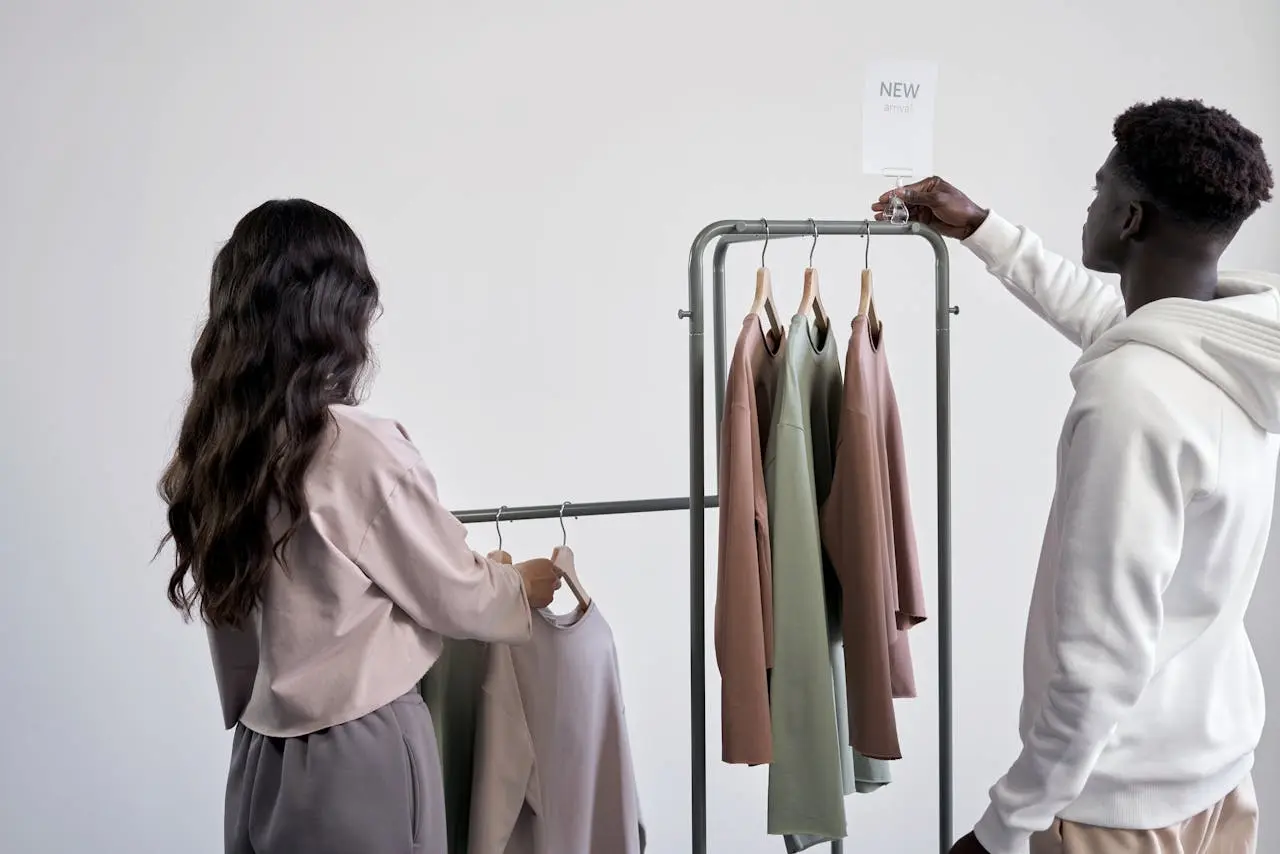
Clothing with defined form and structure translates well on camera. Tailored shirts, blouses, simple dresses and jackets that fit properly help you appear polished. Boxy or oversized clothes tend to look sloppy on screen.
Avoid clothes that cling tightly or leave bulges that may be exaggerated by lighting. A balanced fit that follows your shape is ideal.
Necklines and Layers
V necks and scoop necks are forgiving and frame the face. Collared shirts add a sense of professionalism. Be cautious with plunging necklines as they may distract viewers.
Adding a light jacket, cardigan or scarf provides dimension. Layers help create separation from the background. Keep layers minimal and smooth so they do not add bulk.
Texture Without Pattern
Textures like knit, velvet, woven fabrics and matte finishes look rich without being busy. A subtle texture can add visual interest without pulling focus from your face. Avoid shiny fabrics that reflect strong light and appear bright on camera.
What to Avoid in Wardrobe
Busy and Small Patterns
Tiny stripes, tight checks, houndstooth and small geometric prints often create visual noise on camera. Video sensors process fine details differently than the human eye, which can cause patterns to flicker or ripple as you move. This effect distracts viewers and pulls attention away from your message.
Large bold prints can be just as distracting. Oversized florals or strong graphic designs tend to dominate the frame, making your outfit the focus instead of your face and expression. Stick to minimal or very subtle patterns if you want a clean, professional look.
High Contrast Black and White
Pure white shirts can reflect studio lights and appear too bright on screen. This may wash out details and create harsh highlights around your shoulders and neckline. On the other side, pure black can absorb light and lose definition, especially in lower light settings.
Wearing strong black and white combinations can increase contrast too much for the camera to balance properly. Softer alternatives like cream, charcoal or dove gray maintain a polished appearance without creating exposure issues.
Bright Neon Colors
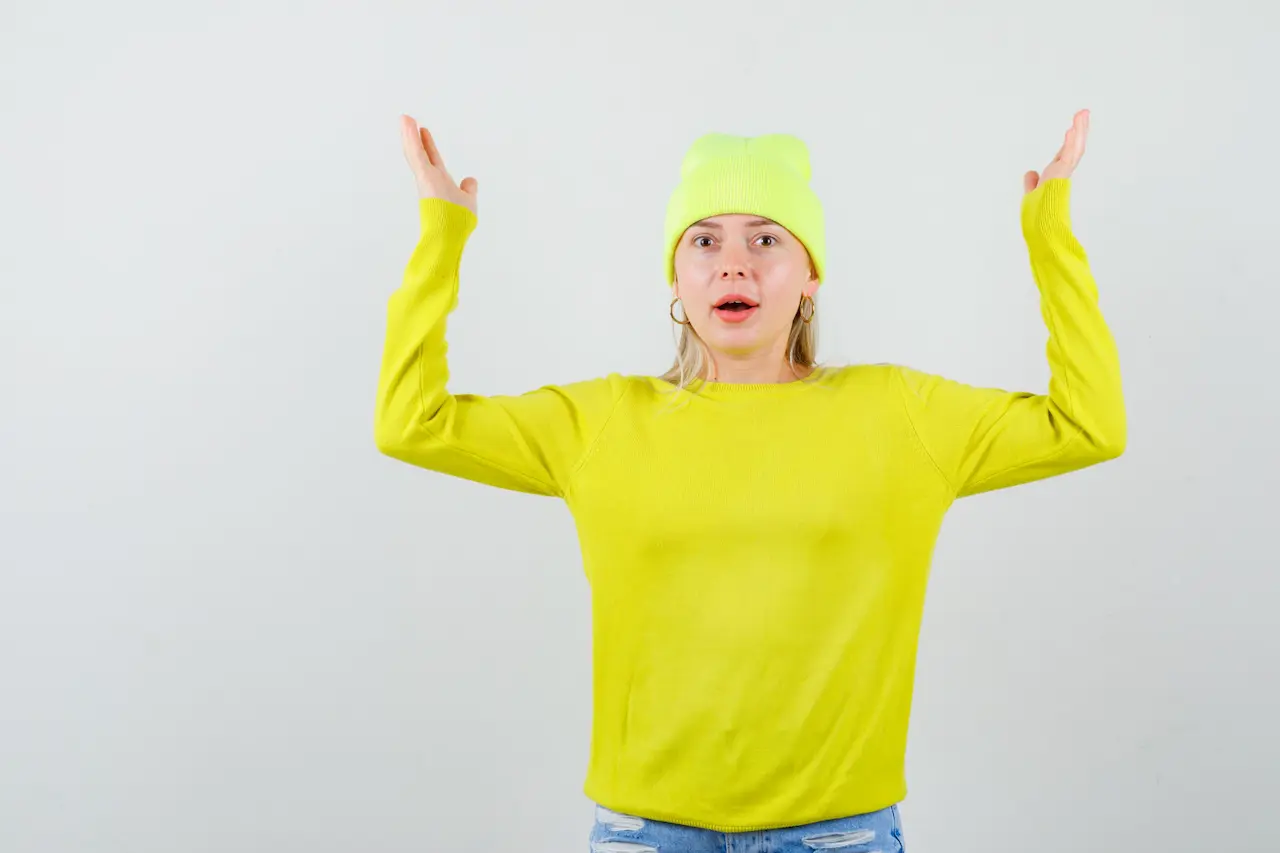
Neon shades such as fluorescent green, bright yellow or hot pink can reflect color onto your skin under studio lighting. This often results in unnatural skin tones that are difficult to correct during editing.
Highly saturated neon fabrics may also appear to glow or bleed slightly on camera. Choosing rich but non fluorescent colors gives you vibrancy without overwhelming the image.
Reflective Jewelry and Accessories
Shiny jewelry and metallic accessories reflect studio lights and can create bright flashes in the frame. These reflections shift as you move, which draws attention away from your face.
Large statement pieces may also create noise if they hit clothing or microphones. Simple, matte finish accessories keep the focus where it belongs and reduce visual and audio distractions.
Loud Logos
Bold logos, slogans and large graphics compete with your message. Viewers may focus on reading your shirt instead of listening to what you are saying.
Visible branding from unrelated companies can create confusion and may require editing adjustments. Unless the video calls for branded apparel, clean and logo free clothing is usually the safest choice.
Fit and Comfort Matter
Clothes that fit properly express confidence and readiness. Too loose pants or tops that slip may require constant adjusting during shooting. Tight garments cause discomfort and tension. When you are uncomfortable it shows on camera.
Practice moving, talking and gesturing in your outfit before the shoot. If any item restricts movement or makes noise, choose alternatives. Comfort improves performance.
Also read: How to Estimate Video Production Costs for Small Businesses
Wardrobe Tips for Specific Video Styles
Interview Videos
Interview contexts prioritize clarity and connection. Choose solid mid tone colors and classic shapes. Avoid distracting accessories or shiny materials.
If more than one person appears in the interview, coordinate a palette. For example, two interview subjects can wear complementary colors like navy and burgundy. Avoid matching outfits too closely.
Promotional Videos
In promotional scenes, your personality and brand matter. If your brand includes a specific palette, incorporate those tones in your outfit choices. Use clothing to subtly reinforce brand identity while keeping focus on your message.
Panel or Group Videos
Group shots require planning. Individual outfits should not conflict with each other or with the background. Have participants select colors within a palette. Encourage varied textures rather than identical colors. Too much uniformity flattens visual interest.
Outdoor Shoots
Natural light changes throughout outdoor shoots. Avoid shiny fabrics that reflect sunlight. Neutral and mid tones adapt more smoothly to shifting light. Bring a couple of backup pieces in case conditions change.
Hair and Makeup Fundamentals
Hair should be neat and secure. Loose flyaways or strands that catch light can distract. A bit of matte finishing spray helps reduce shine on hair.
Makeup is optional but useful. For most on camera work, a light foundation or powder reduces face shine under lights. Lip color that defines the lips without being loud is helpful. If you are unfamiliar with makeup application, ask for a professional touch that matches the shoot theme.
Footwear and Movement
Shoes might not always be visible. Still ensure footwear is appropriate for posture and movement. Heels that click loudly on floors interrupt sound recording. Sneakers with soft soles or smooth dress shoes keep movement sounds minimal. If the shoot involves walking or action scenes, practice walking in shoes before filming.
Wardrobe Testing Before Shoot Day
Plan a wardrobe test. Stand in front of a camera or phone with lighting similar to shoot conditions. Record short clips and review them. Look for reflections, odd shadows, color issues and movement problems.
If the location is known, take sample photos on site. View how your clothes react with the actual background and light. Adjust choices based on what you see.
Practical Packing List for Video Production
Create a checklist for wardrobe preparation.
Keep these handy:
- Multiple tops in varied solid colors
- Neutral bottom options
- Simple jacket or cardigan
- Matte jewelry if needed
- Comfortable but appropriate shoes
- Powder or blotting cloth for face shine
- Spare wardrobe pieces in case of issues
Organize garments on hangers or in garment bags. Keep outfits clean, pressed and ready.
Also read: 8 Best Practices to Improve Your Livestream Quality
Frequently Asked Questions
What color should I pick for my skin tone?
If you are uncertain about specific tones, stick with mid range colors. Navy, forest green, charcoal, burgundy, teal and similar hues work well for most skin tones in video settings. These colors provide enough saturation for the camera without reflecting too much light.
Can I wear patterned clothes?
Simple, large scale patterns can work. Avoid tiny patterns that create visual interference. If you choose a pattern, test on camera first to confirm it does not flicker or cause distortion.
Is it okay to wear a logo?
Logos may be okay if they are small and relevant to the video purpose. Large logos or branding from other companies can confuse viewers. Most professional videos look cleaner with logo free clothing.
What happens if my clothes clash with the background?
Clothing that blends into the background reduces visual separation. If your outfit matches background tones too closely, choose contrasting shades. For example if you film against a dark wall, choose a medium tone shirt that stands out.
Should I bring clothing backups?
Always pack extras. Last minute stains, wrinkles or unexpected lighting can make your first choice less effective. Backups give flexibility and reduce stress.
Make Every Frame Count with the Right Preparation
Preparing for a video partnership with Get Camera Crew means covering many details. Wardrobe may appear small in the list of tasks, but it impacts how your audience perceives your story. Taking time to select the right clothing makes your message clearer and your overall presentation stronger.
Planning ahead, testing outfits and choosing comfortable pieces that look good on camera prepares you for success. Team members from Get Camera Crew can answer wardrobe questions during planning conversations. We aim to help clients feel ready and confident on shoot day.
If you are planning a professional video production, reach out to Get Camera Crew to begin. Contact Get Camera Crew for assistance with your next project and let us help bring your vision to life.





.svg)