


Table of Contents
Interactive video is changing how brands speak to their audience by turning simple viewing into an active experience. Instead of sitting back and watching from start to finish, people can click, choose, and explore what matters most to them. That sense of control keeps attention longer, makes the message more memorable, and builds a stronger connection with the brand. From product discovery and education to storytelling and sales, interactive video opens a new way for businesses to communicate in a more personal, engaging, and results-focused format.
Why Interactive Video Matters Now
A viewer presses play on a video, then a small button appears on the screen. They click it, and suddenly the story shifts, new information appears, or a product comes into focus. Instead of watching passively, they are now part of the experience. That moment of choice is the core of interactive video.
Audiences no longer want to sit back and just consume content from beginning to end. They want to explore, select, and take control. Interactive video gives them that freedom. It allows the viewer to guide the experience in real time, turning a simple video into a two-way interaction.
This level of participation increases attention, improves retention, and keeps people involved for longer periods. When viewers are given a role inside the content, they are far more likely to remember the brand, understand the message, and take action afterward.
Brands across eCommerce, education, travel, and corporate sectors are now shifting focus to immersive media formats. Interactive video meets this demand and reshapes how stories are told, products are shown, and messages are delivered.
Get Camera Crew helps bring these experiences to life. From concept development and filming to editing and integration, the team creates interactive video projects that look polished and guide viewers through clear, meaningful choices.
What Defines an Interactive Video
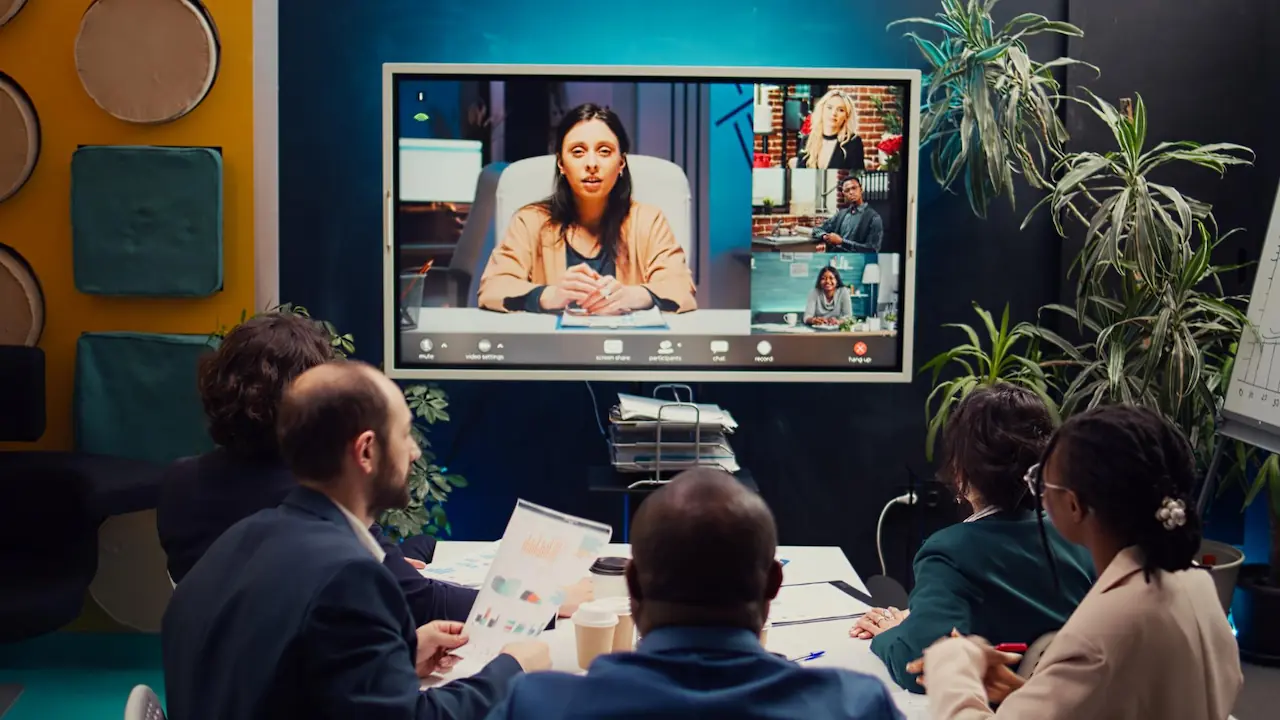
An interactive video is a video that responds to the viewer’s actions. Instead of playing from start to finish in a straight line, it includes clickable areas, choices, or navigation points that allow the viewer to control what happens next.
This can appear in many forms:
- Buttons that let viewers choose the next scene
- Hotspots that reveal more information
- Drop-down menus inside the video
- Clickable products
- Branching story paths
- On-screen quizzes or selections
Traditional video is linear. Everyone sees the same beginning, middle, and end. Interactive video is non-linear. Each viewer may experience a different version of the same video, based on their decisions.
True interactivity is part of the video’s structure from the beginning. It is not added at the end as a simple link or overlay. The story, camera angles, editing, pacing, and visuals are all planned with viewer choices in mind. That is what separates a genuinely interactive experience from a standard video with a button attached.
This approach changes the role of the viewer. They are no longer only watching. They are exploring.
Key Benefits of Interactive Video
Interactive video delivers clear advantages for brands that want to create stronger connections and drive more meaningful actions.
Higher engagement and longer viewing time
When viewers interact with content, they spend more time with it. Every decision, click, or exploration keeps them focused and involved. This reduces bounce rates and increases the chance that they will watch until the end.
Personalized viewer experience
Each viewer can follow a path that fits their interest. This creates a feeling of personalization, even if the video was created for a wide audience. Personalized experiences often feel more valuable and memorable.
Better product and service understanding
Interactive video gives people the chance to explore products or services in detail. Instead of watching a general overview, they can click into specific features, angles, or benefits that matter to them.
Stronger brand connection
Allowing viewers to take part in the experience makes the brand feel more approachable. It creates a sense of combination rather than one-way communication. This helps build trust over time.
Clearer paths to action and conversion
Interactive elements can guide viewers directly to an action, such as visiting a product page, filling out a form, booking a service, or adding an item to a cart. Each choice can lead to a purposeful next step.
These benefits make interactive video a strong option for brands that want more than just views. It is built to encourage participation and results.
Also read: Top Video Marketing Trends to Watch in 2026
Best Use Cases for Interactive Video
Interactive video works across many industries and goals. Certain use cases show especially strong results.
Shoppable product videos for eCommerce
In this format, viewers can click directly on featured items while watching the video. Each click can lead to a product page, size guide, or checkout option. This shortens the journey between discovery and purchase, removing the need to search for the item later. It also allows customers to compare products inside the same video, which increases confidence during the buying decision.
Product demos with clickable features
Interactive product demonstrations let viewers explore an item in detail. They can click on different sections, features, or functions to learn how each part works. This is useful for categories such as technology, beauty, appliances, fitness gear, and even vehicles. Instead of receiving general information, viewers can go straight to the features that matter most to them.
Training and onboarding videos
For internal teams or new users, interactive video makes learning more efficient and less overwhelming. Viewers can choose the order of topics, repeat sections they find difficult, and skip information they already know. This self-guided approach keeps people more engaged and improves knowledge retention over time. It also reduces the need for long, one-size-fits-all training sessions.
Branching story campaigns
Branching videos place the viewer inside the storyline. Each choice they make changes what happens next, creating a personal version of the narrative. This approach is powerful for brand storytelling, awareness initiatives, and campaign launches. It can be used to explore different customer journeys, lifestyles, or problem-solving scenarios, all within a single piece of content.
Educational and explainer content
In a learning environment, interactive video allows viewers to select topics, difficulty levels, or themes based on their goals. This is useful for online courses, tutorials, brand education, and customer support content. It respects individual learning speed and keeps attention focused on what feels most relevant to each person.
Each of these use cases shows how interactive video transforms standard viewing into an active experience. Instead of feeling like passive listeners, viewers become participants, which strengthens engagement and increases the overall impact of the message.
Planning Before Production
Interactive video requires more planning than standard video. Choices must be mapped out clearly before a single scene is filmed.
- Map out user paths: Create a visual diagram that shows every possible choice and where it leads. This helps avoid confusion later and guarantees that each path connects smoothly.
- Keep options simple: Too many choices can overwhelm the viewer. It is better to offer a few clear paths rather than many small ones. Each option should have a clear purpose.
- Maintain consistent visuals: Each path should look and feel like part of the same project. Lighting, sound, framing, and tone should stay consistent throughout all branches.
- Think mobile first: Many users will view your video on a phone. Buttons, text, and interactive elements must be easy to click on a small screen.
- Work with technical teams early: Creative and technical planning must happen together. Interactive features should be considered while scripting and storyboarding, not only in post-production.
Get Camera Crew supports this planning stage by working with clients to map out paths, align creative and technical needs, and design a clear production plan before filming begins.
Post-Production and Distribution

After filming is complete, the interactive elements are created and added during post-production. This is where the viewer’s journey truly comes to life.
Adding interactive layers
Editors insert clickable hotspots, buttons, menus, and branching points based on the original plans. Each element must be positioned clearly without blocking key visuals.
Testing all user flows
Every possible path must be tested from start to finish. This ensures there are no broken links, missing scenes, or confusing transitions. A smooth journey builds trust and keeps viewers engaged.
Hosting the video
Interactive videos can be hosted on websites, landing pages, campaign hubs, or platforms that support this format. The location should match the campaign goal, whether that is education, sales, or lead generation.
Using data for improvement
Once live, the video produces data. This includes which paths viewers take, where they click, and where they leave. These insights help improve future interactive projects and refine viewer journeys.
Post-production is not just about editing. It is about shaping the experience and guiding each viewer through a clear, engaging path.
Creative Inspiration for Brands
Many industries can use interactive video in unique and exciting ways.
- Fashion: Viewers choose different outfits, colors, or styles to see how each one looks in motion.
- Tech: Users click on parts of a device to explore features, performance, and usage tips.
- Travel: Viewers select destinations, hotel rooms, or local experiences to create their own travel journey.
- Education: Students choose from topics or learning paths based on their interest or skill level.
- Onboarding: New team members select departments, tasks, or scenarios to explore how an organization works.
Interactive video allows creativity and control at the same time. Viewers feel involved, and brands can guide that experience toward a goal.
Also read: How to Integrate Shoppable Videos in E-commerce Strategies
Common Mistakes and Best Practices
Some interactive videos fail because of poor planning or overcomplication. Understanding common mistakes helps avoid them.
Mistakes to avoid:
- Offering too many choices
- Creating a confusing user interface
- Making the video too long without purpose
- Ignoring mobile usability
- Skipping proper testing
Best practices to follow:
- Keep interactions clear and simple
- Use visual cues to guide decisions
- Focus on one main objective per video
- Keep transitions smooth
- Test the experience on multiple devices
A good interactive video feels natural, not forced. The viewer should enjoy the process of choosing without feeling lost.
People Also Ask
What is an interactive video?
An interactive video allows viewers to click, choose, or explore options within the video itself, creating a two-way experience instead of passive watching.
How is interactive video different from regular video?
Regular video is linear and plays from start to finish. Interactive video gives viewers control over the path, content, or outcome.
Where can interactive videos be used?
They can be used on websites, in campaigns, for training, education, eCommerce, onboarding, and brand storytelling.
Do interactive videos work on mobile devices?
Yes. When designed correctly, they work smoothly on smartphones and tablets.
Turn Viewers Into Participants
Interactive video adds a deeper level of attention, emotional connection, and real action to modern content. Instead of watching from a distance, viewers step into the experience and play an active role in how the story unfolds. This leads to stronger interest, better retention, and a clearer path toward conversion. Brands using interactive video are no longer just sharing messages, they are creating experiences people can take part in.
Ready to create interactive video that connects and converts? Contact Get Camera Crew to bring your idea to life, from concept to final delivery.





.svg)